
Notepad for Mac: A Native macOS Text Editor for Quick Notes, Plain Text, and Cleanup
Need to open a .txt file, jot down a list or edit a few lines? notePad++++ is a Mac text editor for local files. Start with a plain note, and use tabs, search or Markdown preview when you need them. macOS also includes TextEdit; the steps for it are below.
Open and save a plain-text note
- Open notePad++++ and click New to start a document, or Open to choose an existing
.txtfile. - Type or paste your notes. For example, keep a shopping list or a short project checklist, one item per line.
- Click Save. For a new document, choose a location and a name such as
checklist.txt. Use Save As if you want to keep a separate copy of an existing file. - Open another document when needed and switch between the tabs above the editor.
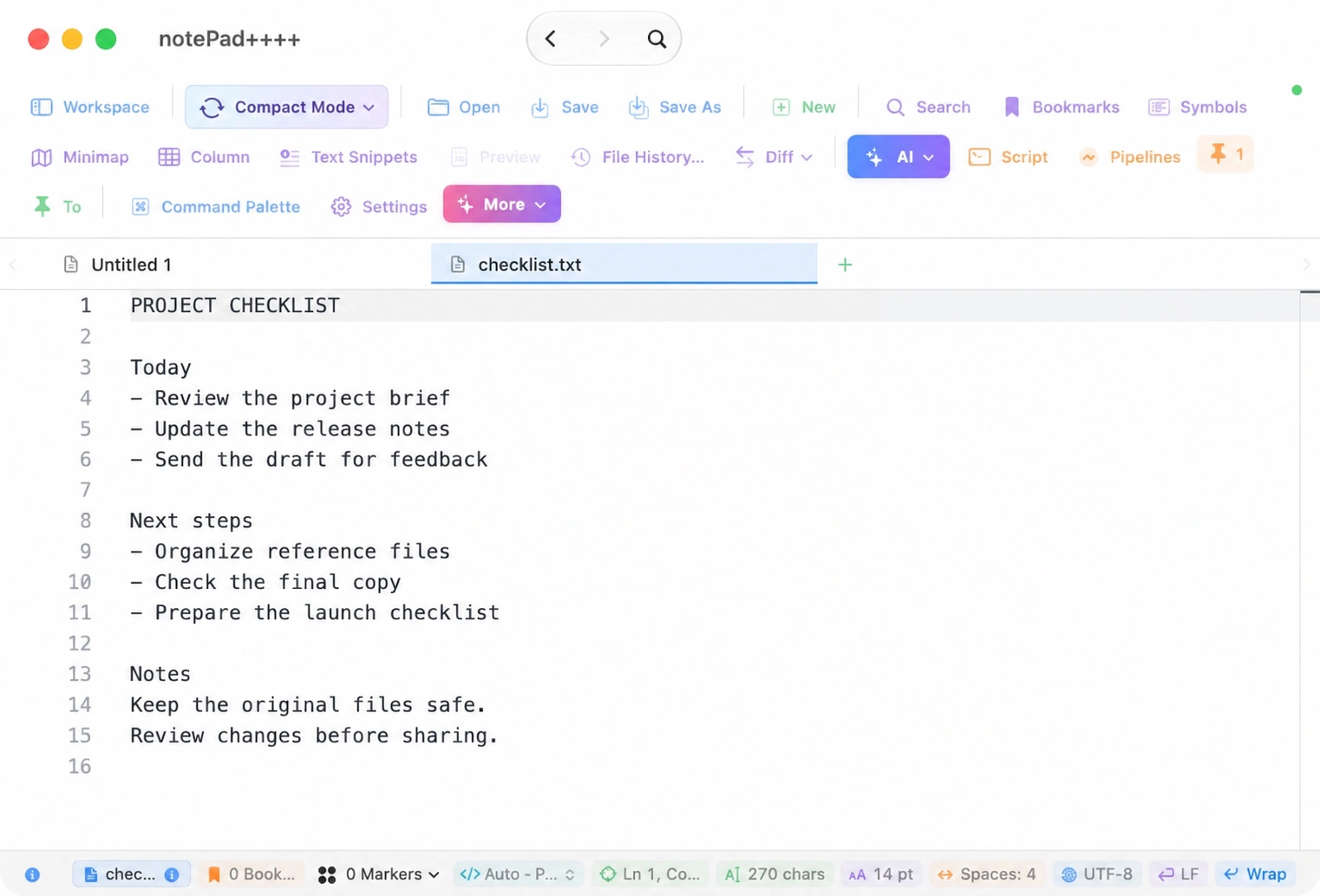
The screenshot shows a prepared example opened in the app. Its checklist.txt tab is selected; the toolbar provides the Open, Save, Save As and New actions.
For a longer document, use Search to find a word or phrase instead of scanning every line. Check the file you saved before closing it, especially if you used a new name or location.
Use TextEdit, the notepad already on your Mac
Open TextEdit from Applications and create a document. If you need a plain .txt file, choose Format → Make Plain Text, type your note, and choose File → Save. Converting an existing rich-text document to plain text removes its formatting, so save a separate copy first if that formatting matters. Apple's TextEdit guide describes the options.
TextEdit is a convenient built-in choice. notePad++++ adds a workspace for related files and tools for more involved text editing.
When notes become larger text jobs
- Quick notes and plain-text drafts.
- Markdown notes with preview.
- Lists that need deduplication and sorting.
- Logs and snippets that need regex cleanup.
- Aligned rows that benefit from Column Mode.
- Folder-level search for recurring notes and references.
For practical examples, see removing duplicate lines and searching multiple keywords on the notePad++++ website. Make a copy before applying a change across important files.
Is this Notepad++?
No. notePad++++ is a separate Mac app, inspired by useful Notepad++-style text workflows. If you are coming from Windows, see the Notepad++ for Mac alternative guide.
Notepad-style needs on Mac
| Need | notePad++++ fit |
|---|---|
| Quick text note | Open a local file and edit without a project setup. |
| Plain-text file | Work with predictable text instead of rich formatting. |
| Several notes at once | Use tabs for multiple open files. |
| Markdown note | Preview the rendered document while editing. |
| Messy pasted text | Run cleanup pipelines and regex replacements. |
| Repeated edits | Use scripts and batch-safe processing. |
Frequently asked questions
Does Mac have a notepad app?
macOS includes basic text tools, but users who need tabs, regex, Column Mode, Markdown preview, workspace search, and batch cleanup may prefer a focused editor like notePad++++.
Is notePad++++ simple enough for quick notes?
Yes. It can be used for quick local text notes, while still offering advanced tools when the text needs cleanup or structure.
Is this the same as Notepad++?
No. notePad++++ is an independent Mac app inspired by practical Notepad++-style text workflows.
Related guides
- Text editor for Mac
- Plain text editor for Mac
- Notepad++ for Mac alternative
- Back to product overview