
Find Mac Apps with Chinese Initials and Partial Names
Finding an app among dozens of icons takes more effort than it should. If its name is Chinese, typing the whole name may also mean switching input methods. FableLauncher can search Chinese names by pinyin initials and English names by a partial spelling, so you can find the app with less typing.
Use initials for a Chinese name
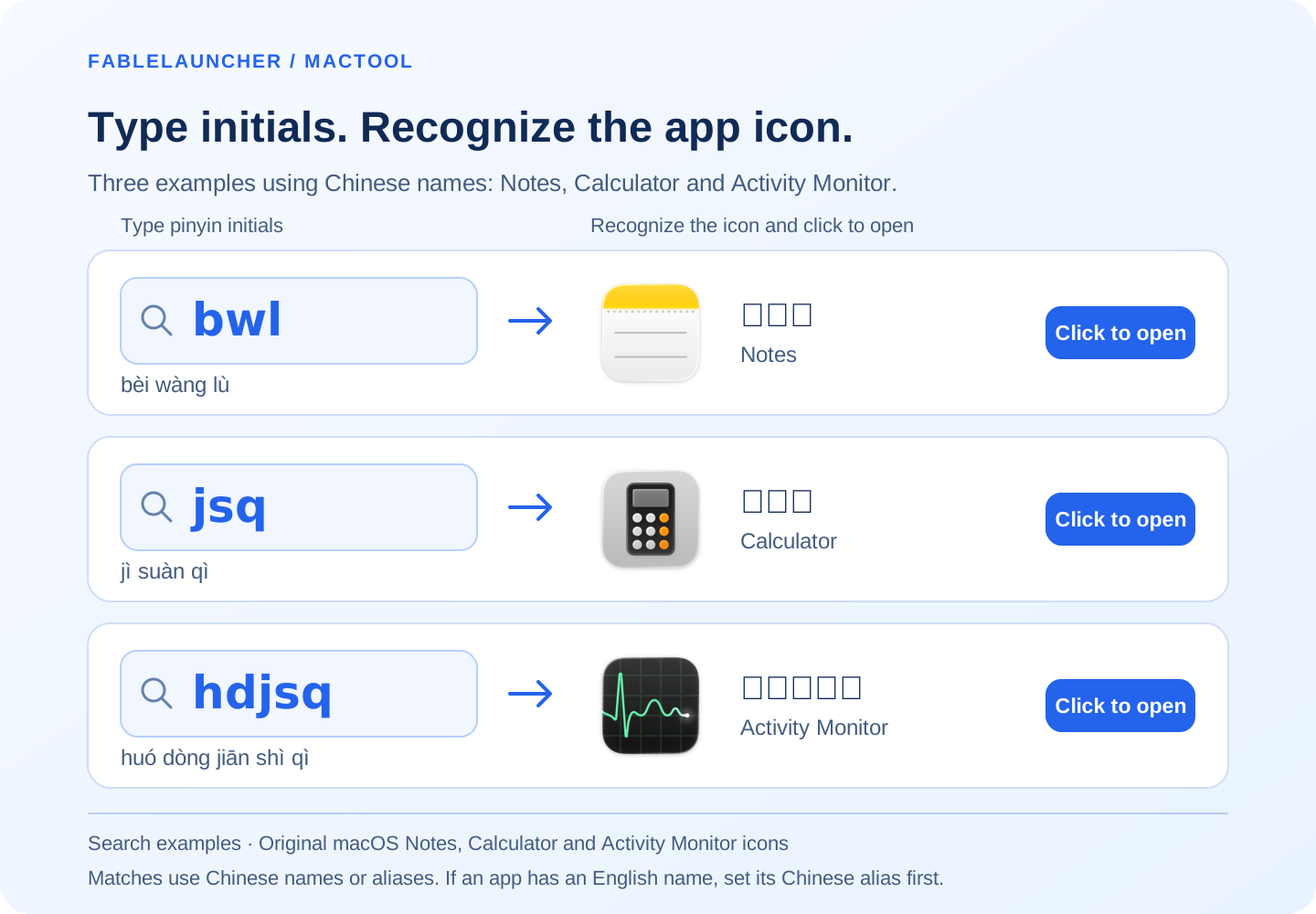
Want to jot something down? If Notes appears as 备忘录 in FableLauncher, type bwl without switching to a Chinese input method. Look for the yellow-and-white notepad icon and click it to open Notes.
Try two more familiar Mac apps:
- Calculator (计算器): type
jsq, recognize the keypad icon with orange buttons, and click it to start calculating. - Activity Monitor (活动监视器): type
hdjsq, recognize the green graph on a dark background, and open it to check which app is using CPU or memory.
The initials come from the Chinese name: 备忘录 → bèi wàng lù → bwl. Search uses the name or alias in the app list. If the app is listed as Notes, first set its alias to 备忘录, then search bwl. The same applies to the Chinese names for Calculator and Activity Monitor.
The list narrows as you type. Click the matching icon to open the app, without remembering which screen it was on or typing every character.
Use the part of an English name you remember
For a longer English name, enter a distinctive fragment. Searching chrome, for example, finds names containing Chrome. FableLauncher also matches characters occurring in order within names to help narrow the list with shorter input.
If several results look similar, add another character or two, then choose by name and icon. You do not need to configure a search word for each installed app first.
Search All when the app is outside the current group
Search applies to the apps in the selected group or category. Choose All before looking for something outside that view.
On first use, choose the folders containing your applications. If an app lives elsewhere, add that application directory so it can appear in the list.
Keep a convenient entry for next time
Favorite apps you open often. Put apps you use together in a group when you want to open them together.
If you remember only an app's purpose, an alias is more useful than guessing its initials. Follow give an app a memorable alias, or open the launcher from a shortcut or menu bar.
FableLauncher requires macOS 12 or later. Find features and downloads on the product page.
Frequently asked questions
Can I search Chinese app names with pinyin initials?
Yes. For example, bwl represents 备忘录. Matches depend on the name present in the app list.
Do I have to type the full name?
No. Enter part of the name and click the matching app to open it.
What if I remember the purpose but not the name?
Set a memorable alias first, then search that alias when you need the app.