
A Launchpad Alternative for Organizing Mac Apps Your Way
Sometimes you remember an app's icon but not its name. Other times you simply want to see the tools you use for design or writing. FableLauncher combines icon browsing, search, and your own organization in one place, making it an option for people looking for a Launchpad alternative.
Mac already has a built-in way to browse apps
In macOS Tahoe 26, use Apps in the Dock or the Applications view in Spotlight to browse and open software. Apple's guide explains those entry points.
For opening one app by name, the built-in option is convenient. FableLauncher adds your own task-based groups, memorable aliases, and the ability to launch a set of apps together.
Favorite regular apps and group them by task
Open FableLauncher and choose your application folders when prompted. Right-click a regular app to favorite it, then revisit your favorites when needed.
Create groups with recognizable purposes: Work for daily tools, Design for creative software, or Occasional for apps you rarely open but still need. Select a group to see its members rather than your entire collection.
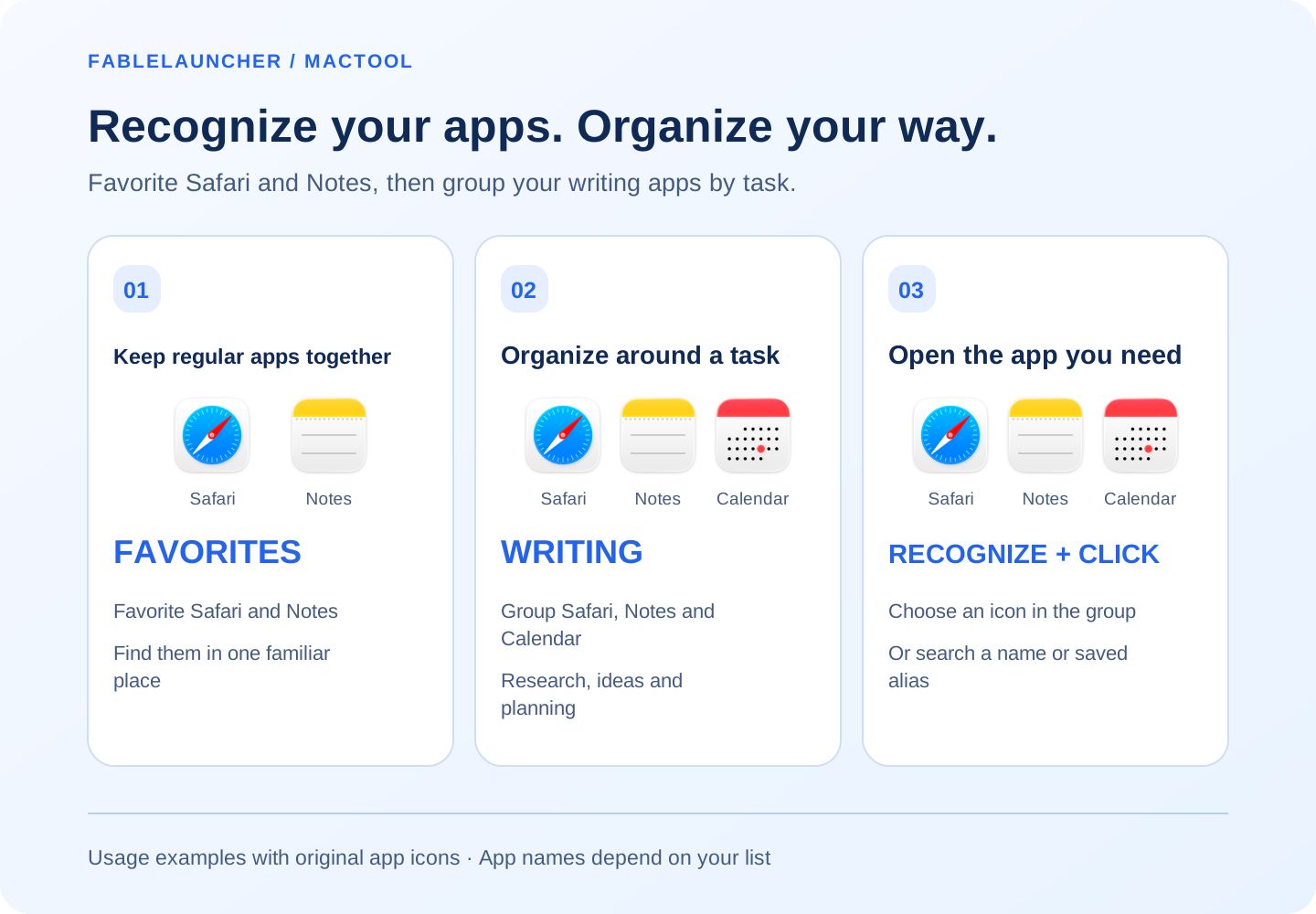
For a concrete example, favorite Safari and Notes if you use them every day. Add Calendar alongside them in a Writing group when you need to check your plans. The original app icons below show what goes into favorites, what belongs in the group, and which app to click.
Use tags for purpose and aliases for memory
Tags can describe uses such as Photo, Video, or Writing. Give a hard-to-remember app a familiar alias so you can search your own name for it later.
Browse icons when you remember the appearance, or search a name or initials when you know what to type. If the original name slips your mind, a purpose-based alias is particularly useful. See give Mac apps memorable aliases.
Open a whole group after organizing it
Click the group launch button, choose today's apps, and open them together. A Writing group might contain your editor, browser, and notes app, saving repeated searches across categories.
FableLauncher also provides a 3D fold-space view, themes, and launch animations. Its menu-bar search panel offers 2D and 3D display choices: select a conventional icon grid or a more playful view.
Build an entry point around your habits
FableLauncher uses its own favorites, groups, and tags. It does not restore the positions from your old Launchpad layout. Organize regular apps once, then find them by your own tasks and naming habits.
Follow launch multiple apps together. FableLauncher requires macOS 12 or later; download it from the product page.
Frequently asked questions
Who might use FableLauncher as a Launchpad alternative?
People who like browsing icons and want custom groups, tags, aliases, and group launching.
Can I organize apps around my tasks?
Yes. Create groups such as Work, Design, or Writing and add relevant applications.
Does it restore my old Launchpad layout?
FableLauncher provides its own organization and does not import or restore the old Launchpad layout.