
 DiskTreeSize.app
Mac의 시스템 데이터가 너무 큰가요? 무엇이 공간을 차지하는지 확인하세요
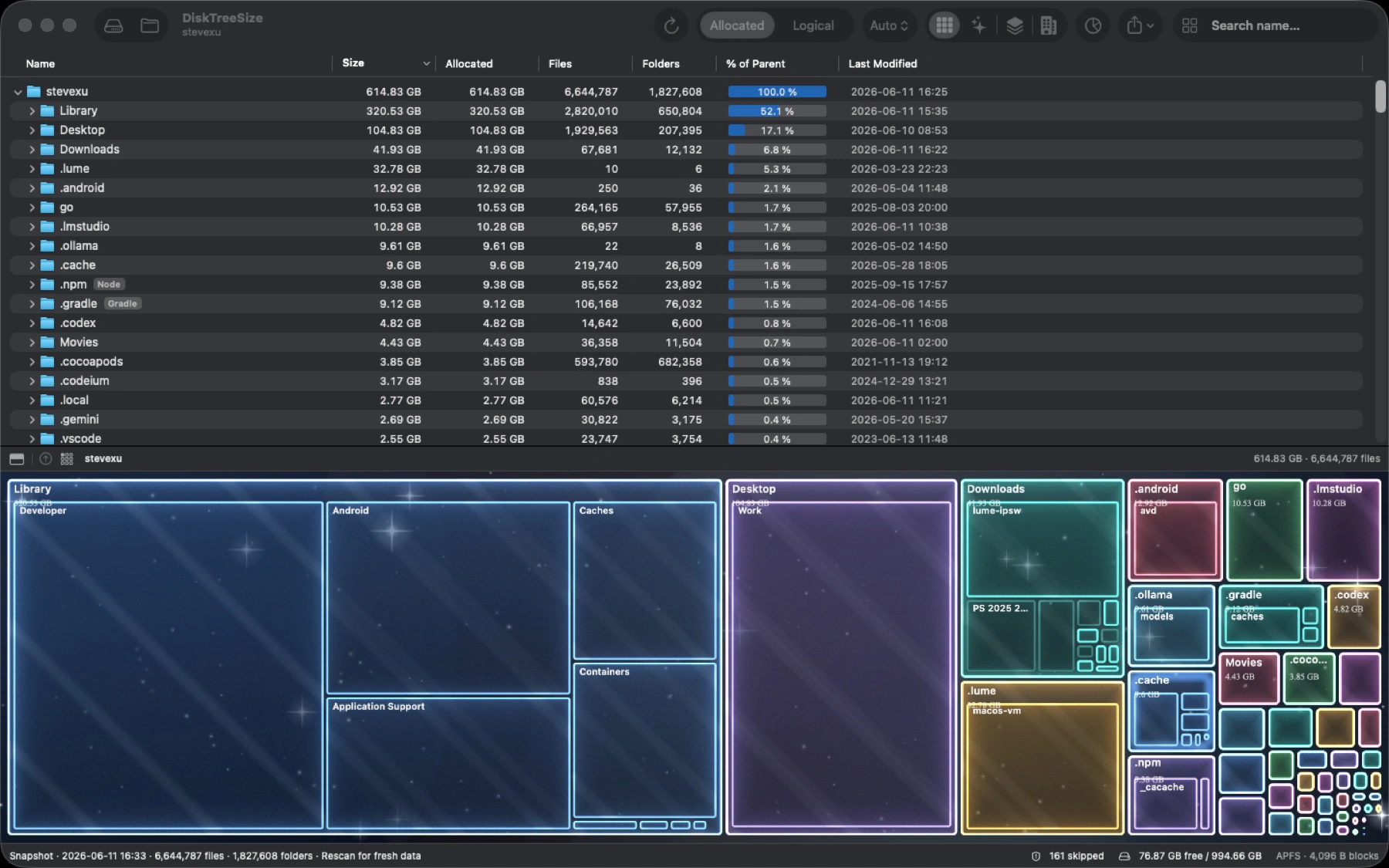
Mac의 ‘시스템 데이터’는 계속 늘어나는데 무엇이 공간을 차지하는지 모르겠나요? DiskTreeSize는 선택한 폴더를 크기순으로 정렬하고 공간 사용량을 시각적인 지도로 보여 줍니다. 큰 폴더를 차례로 열어 공간을 차지하는 파일까지 찾아보세요. 어떤 폴더가 크고 안에 무엇이 있는지 먼저 확인한 뒤 정리할 항목을 결정할 수 있습니다.
어떤 폴더가 가장 많은 공간을 차지하는지 확인하세요
Mac App StoreDiskTreeSizeMac 디스크 공간 분석기 및 대용량 파일 찾기
한눈에 보기
- 플랫폼
- macOS
- 카테고리
- 유틸리티
- 버전
- 1.0.8
- 업데이트
- 2026-06-27
- 다운로드
- Mac App Store ↗
- 개인정보 처리방침
- 개인정보 처리방침
주요 기능
Scan folders you select and sort files or folders by allocated or logical size
Browse an expandable tree with item counts, parent percentages, and modification dates
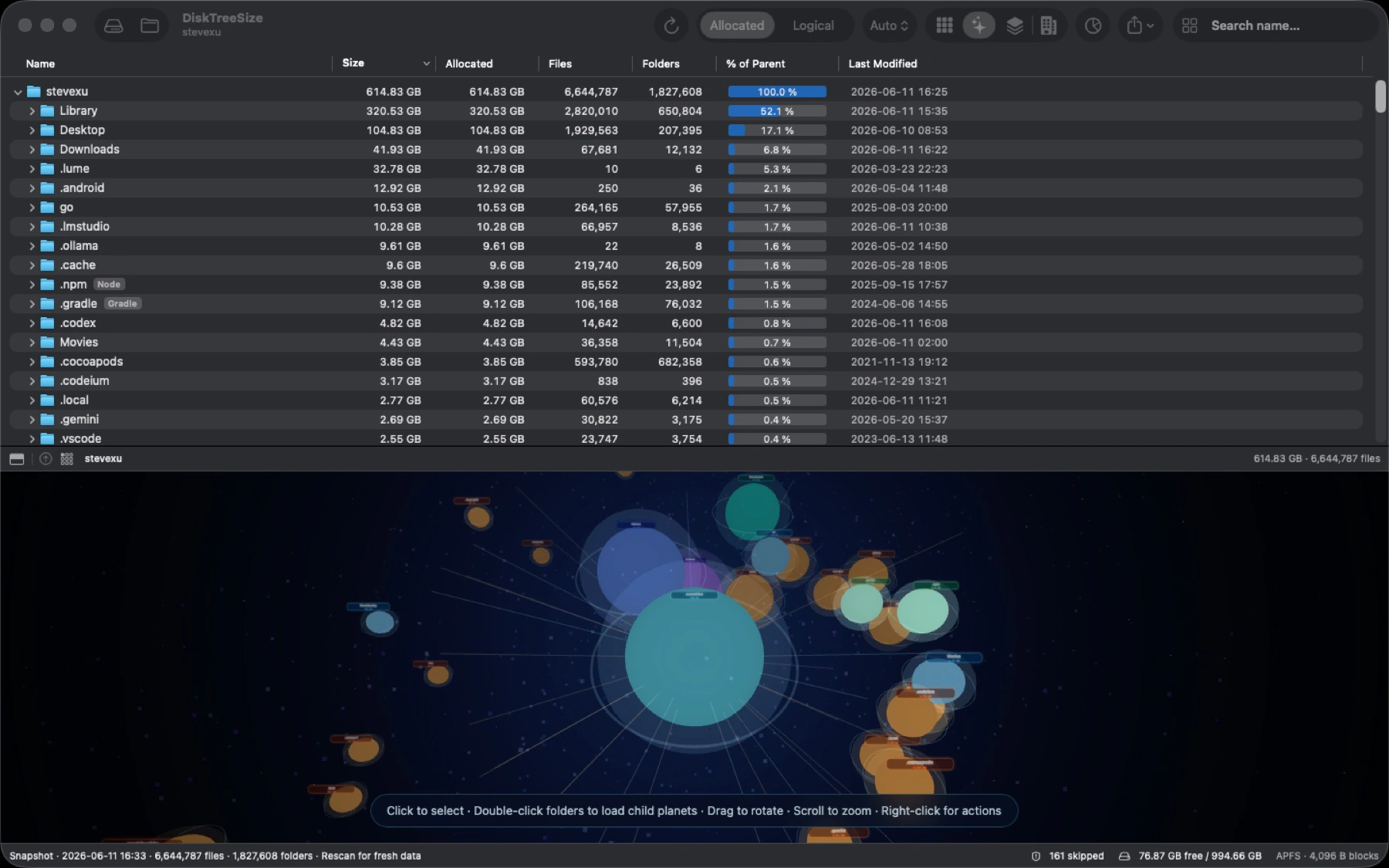
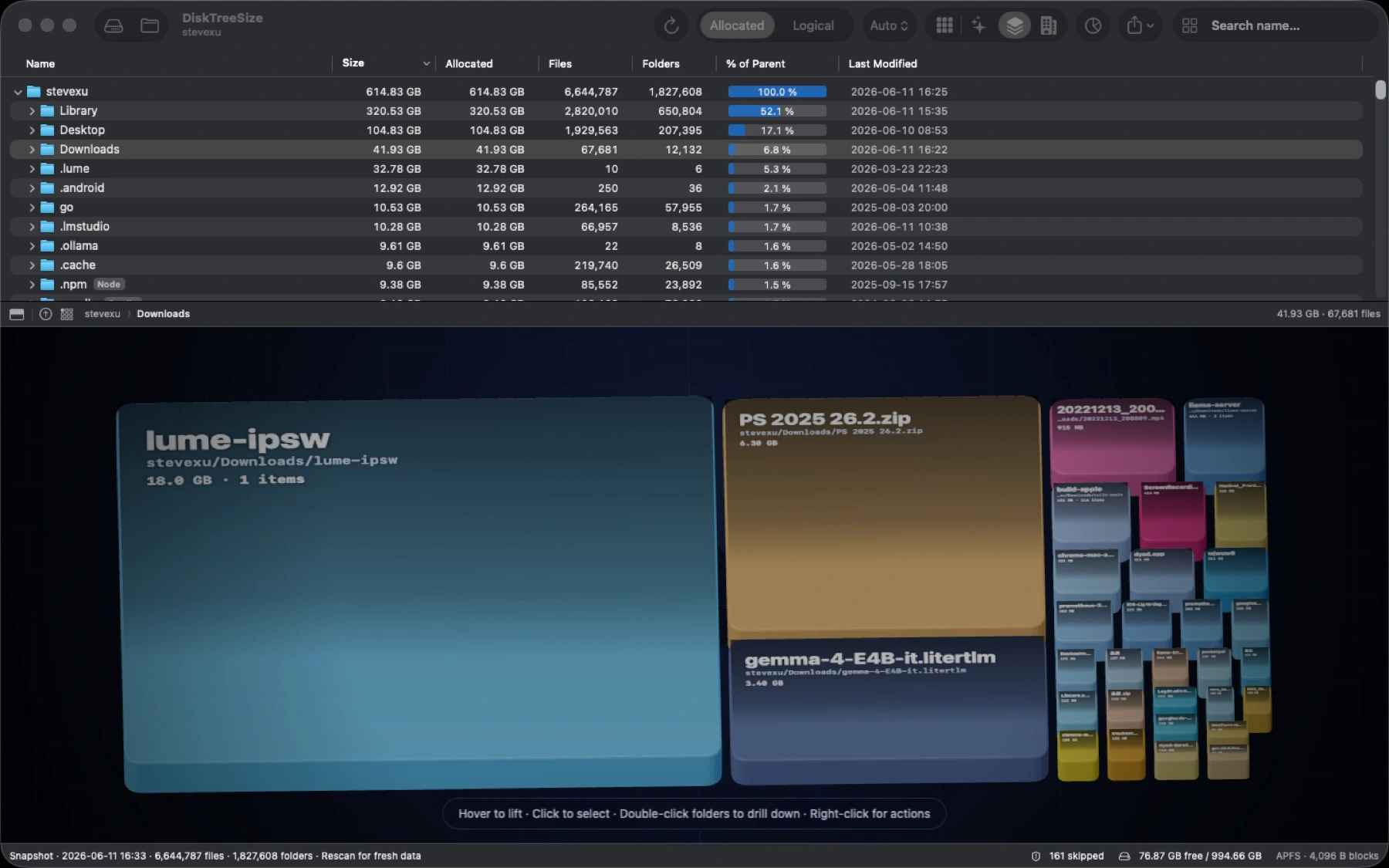
Switch between Treemap, Galaxy, 2.5D Tiles, and City visualizations
Search file and folder names within the scanned location
Review file type statistics to understand storage usage by format
Copy paths; Pro adds Finder navigation and CSV or JSON report export
Pro can move selected items to Trash after explicit confirmation; no automatic cleanup
Analyze storage locally without uploading file paths, contents, or scan results
글 기능, 비교, 자주 묻는 질문
아직 등록된 글이 없습니다.