
 DiskTreeSize.app
Macの「システムデータ」が大きすぎる。何が容量を使っている?
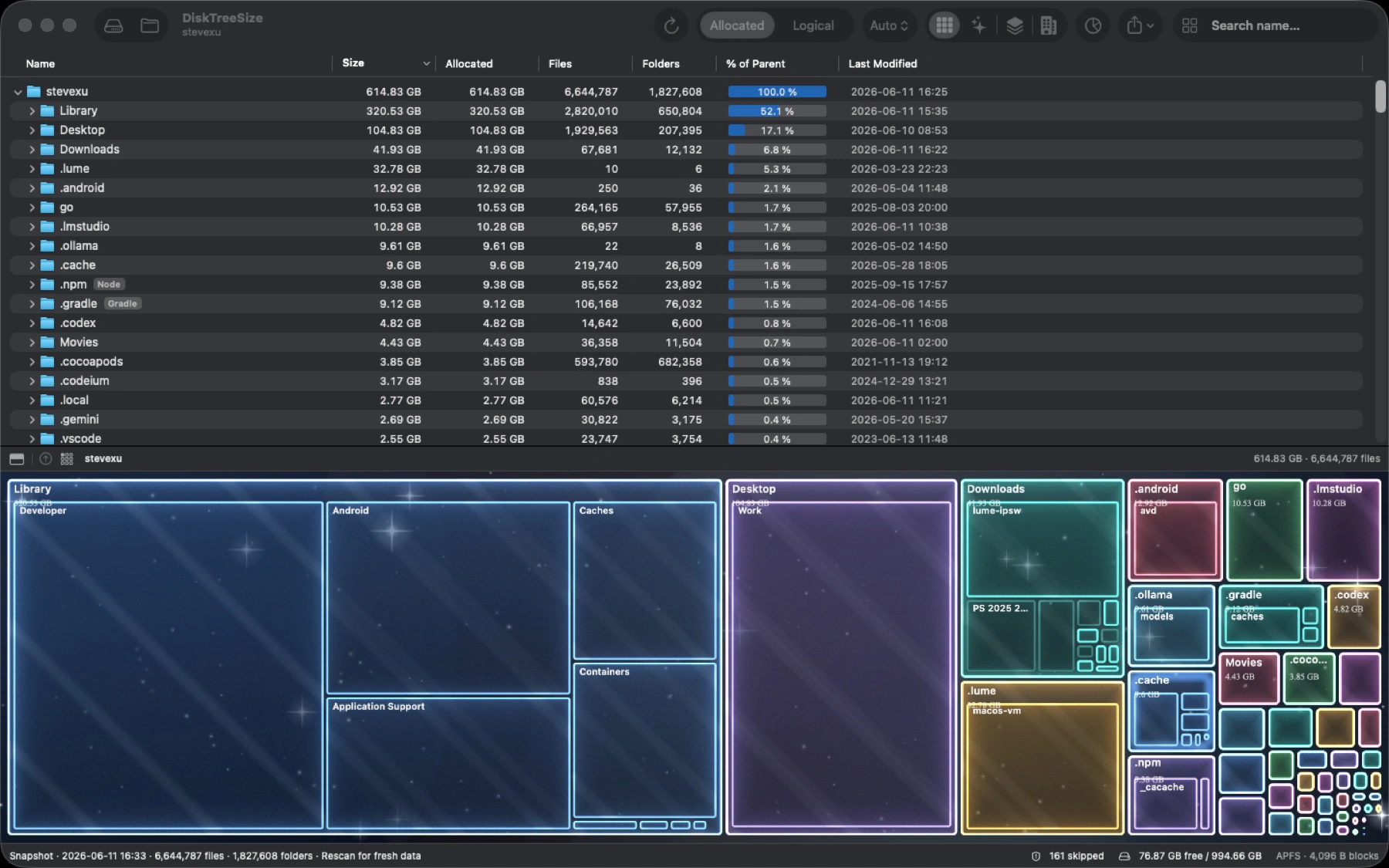
Macの「システムデータ」が増え続けているのに、何が容量を使っているかわからない。DiskTreeSizeは、選択したフォルダをサイズ順に並べ、容量の分布をマップで表示します。大きなフォルダを順に開いて、中にあるファイルまでたどれます。まずはどのフォルダが大きく、何が入っているのかを確認してから、整理するものを決めましょう。
どのフォルダが容量を使っているか、ひと目で確認
Mac App StoreDiskTreeSizeMac ディスク容量アナライザー&大容量ファイル検索
基本情報
- プラットフォーム
- macOS
- カテゴリ
- ユーティリティ
- バージョン
- 1.0.8
- 更新日
- 2026-06-27
- ダウンロード
- Mac App Store ↗
- プライバシーポリシー
- プライバシーポリシー
主な機能
Scan folders you select and sort files or folders by allocated or logical size
Browse an expandable tree with item counts, parent percentages, and modification dates
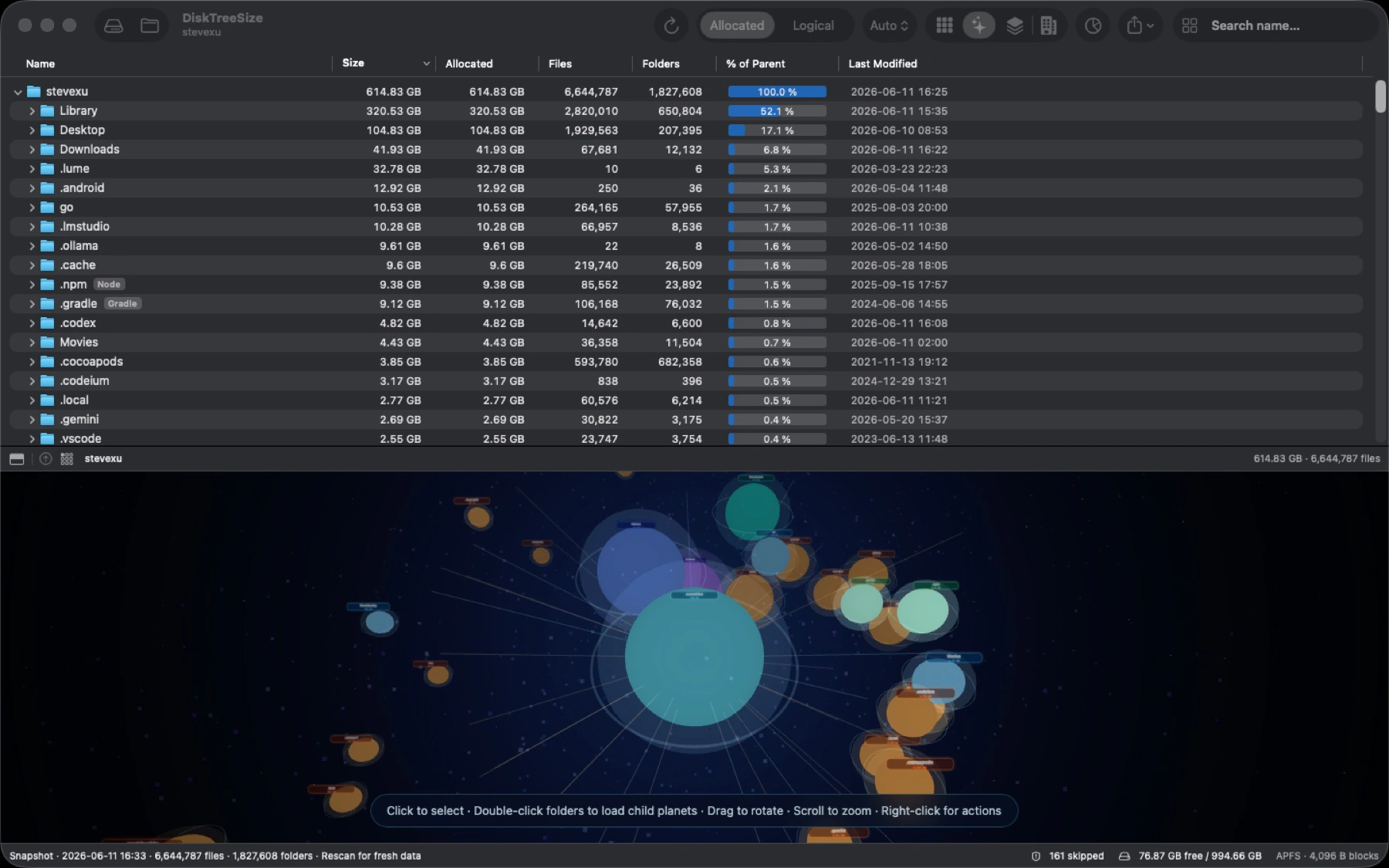
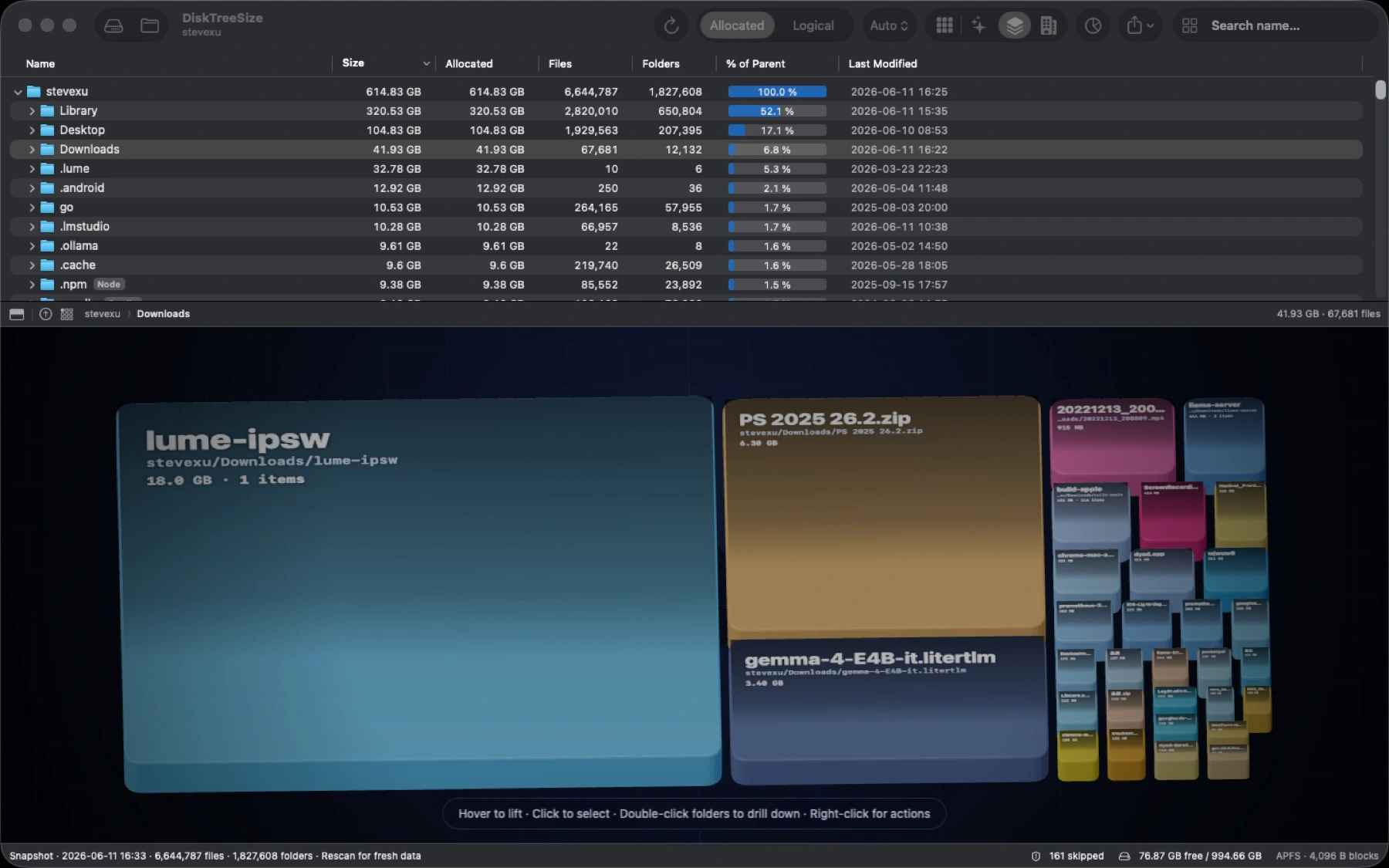
Switch between Treemap, Galaxy, 2.5D Tiles, and City visualizations
Search file and folder names within the scanned location
Review file type statistics to understand storage usage by format
Copy paths; Pro adds Finder navigation and CSV or JSON report export
Pro can move selected items to Trash after explicit confirmation; no automatic cleanup
Analyze storage locally without uploading file paths, contents, or scan results
記事 機能、比較、よくある質問
記事はまだありません。